Dell PowerEdge r520 dual vs single CPU

 If one every decides to add a 2nd CPU to a Dell PowerEdge r520, besides the CPU, CPU sink, extra system fan, one also needs a different PCIe riser card.

What?

Turns out the riser cards are different!  If one puts a 2nd CPU in to a system without replacing the riser, the system works, however the system LCD will be amber, flashing, and giving an error: :HWC2005 system board riser cable interconnect failure".  The machine still functions just fine, it just has the annoying alerts.


Dell PowerEdge: unable to Web into iDRAC after upgrades

 
After upgrading Dell x40 PowerEdge servers the web interface for IDRAC may give the above error.  Fortunately one can still get at it using the IP address. 

The issue is that the iDRAC webserver is checking the name in header with what is programmed in the IDRAC web server.  One can either disable this check (which is what I choose, as my servers get moved re-purposed quite often), or set the value to match the FQDN.
1: SSH into the host
2: racadm set idrac.webserver.HostHeaderCheck 0


VMware iSER iSCSI targets showing up as "unconsummed"

I was swapping out an ESXi host, and I couldn't get our iSCSI target to mount.  The paths and targets would show up, however it would say the volume was "un-consumed".   Which is odd as the datastores in question are in use by other servers and many VMs live on them.  I do have one storage server that has issues with it's identifier due to a signature mismatch, and I have to forcefully mount it.  However this time the same behavior wasn't present.

Normally from the ESXi shell I issue:

esxcfg-volume -l   this will spit out all of the volumes and some basic details visible to ESXi, normally I would see the volume in question, however this time no volumes where present.

Turns out the issue was MTU!  The switch ports, the ESXi kernel ports, the storage server were all set to MTU 9000.  However, I missed the virtual switch!  It was still at 1500, changed it to MTU 9000, rescan the storage adapter and all is good.

iSER & RDMA don't fragment their packets, they just drop them!  


 Random photos from a presentation (TrueNAS Community: The DIY/Opensource Shared Storage ) that I gave at the October Minneapolis VMware User Group ....no idea what I said during the title slide to give that body language but.....I hope it was funny or witty!  


Windows 2019 Software RAID

 Just a quick test...This server has U.2 Samsung MZWLL1T6HEHP NVMe drives, a fresh install of Windows 2019 server.  For the first test I took the three NVMe drives and created a dynamic volume (software RAID5).  Then I repeated the test of a single drive.  

three drive, RAID5 software

Single drive


SuperMicro servers featuring PCIe 5.0 and 200gbps NICs

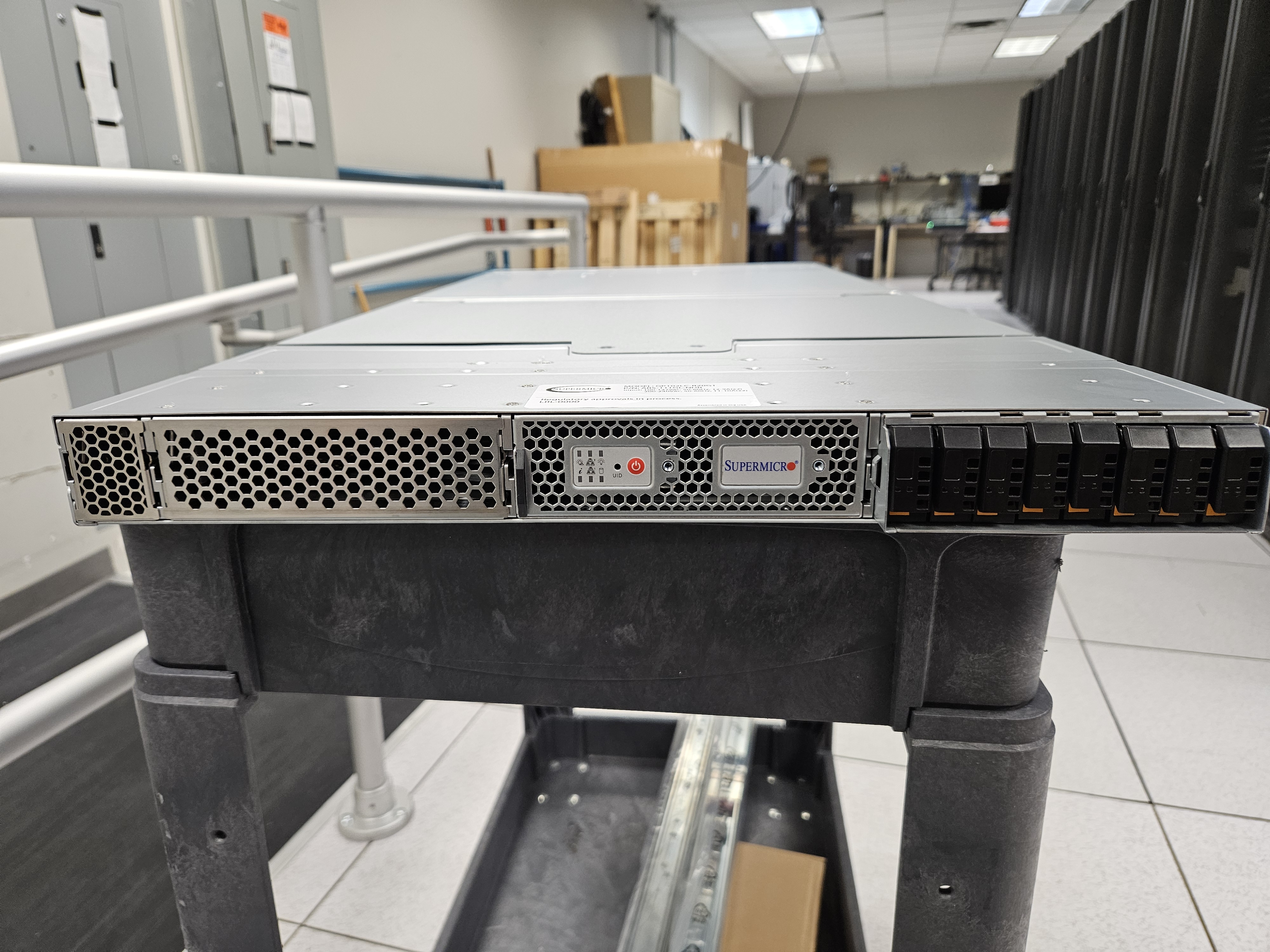
 Hot off of the factory floor!  SuperMicro ASG-1115S-NE316R

AMD Epyc 9004 series CPU


e3.s form factor drives.  For the record I dislike this form factor because I fear the "fingers" the drive interface extends beyond the body of the drive.  I can see some of these getting broken by sloppy and mistreatment.


SuperMicro AI GPU Server


SuperMicro ARS-111GL-NHR  G1SM-G

Nvidia A02 72 Core GH GraceHopper 3.4ghz CPU

16896 GPU cores

https://www.supermicro.com/en/products/motherboard/g1smh-g

https://www.supermicro.com/en/products/system/GPU/1U/ARS-111GL-NHR


A little concerned about these human hair thick wires just ran across the front


The server is physically very long, some cheating to get the server rack door to close with 200gb DAC cables.

RAID5 vs RAID10

Quick and dirty test.  The Guinee pig is a Lenovo ThinkSystem SR655.  With an Avago RAID 930-24i card with 4gb cache.  Four Koxia 1tb SAS 12gbs SSDs.  VMware ESXi v8 is installed on to the host.  The four drives were set up into a RAID5 configuration, read ahead enabled, drive cache is enabled, cache policy is set to Write Back.   The RAID virtual drive was presented to VMware; a Microsoft Developer Windows 11 VM was imported to the datastore using thick provisioning.   Atto disk benchmark software was ran with both 4gb and 8gb tests.  Then, the VM, datastore, virtual drive, was torn down, rebuilt as RAID10, and retested.


I found the results somewhat surprising.   We often hear about the "RAID 5 write penalty", or "RAID 10 is just faster", etc., etc..  Well this test shows the opposite to be true.  The write speed on RAID5 is actually better!  One theory is that well, three drives are doing the work of writing in RAID5 where as in the RAID10 only two drives are writing.  


Burnt up Network Card?

 I have seen this in decades.  This Mellanox 100gb card was causing the server to be unstable.  Now, I don't know when the card went bad.  The server was repurposed, and the 100gb NIC was added.  So I don't know if my co-worker put the NIC in already burnt, or it burnt up in this Dell R620 Power Edge

Notice the discoloration in the lower right corner, and that capacitor is also a different color.