SAS cable connectors

 Just some general information that might be useful.

This is a "mini-SAS" SFF8087

This is also a "mini-SAS", SFF-8643, typically seen in SAS 12g applications.

This is an OCuLink PCI-e SAS SFF-8611 4i; as seen on a PowerEdge r640.

The cable on the left is a "double wide" SAS cable, used on SOME HP and Dell RAID cards.  As in this case an HP Smart Array P440.

The cable on the right is a PCI-e Slimiline SAS SFF-8654 8i cable


Dell 13th gen. servers and NVMe/Bifurcation

 In case anyone is wondering, the Dell 13th generation servers can do PCIe Bifurcation.  

So first question for those not in the the know, what the heck is PCIe Bifurcation?  In simplest term is take a PCIe slot and sub-divides it into multiple slots.  IE a PCIe x16 slot can be divided into two x8 or four x4 slots.

Ok great buy why would one want to do this?  Well many people have found the wonders of NVMe M.2 hard drives, and run a NVMe M.2 adapter PCIe card. Sometimes the desire to run multiple M.2 cards is desired, but there simply isn't enough slots available.

A quick search on ones favorite shopping place for IT gear will show a number of cards that allow one to put two to four M.2 NVMe drives on a single card, however in order to use them, the PC must support Bifurcation, and with out it the computer will only see the first drive.  For the record, there are cards that can have more than one M.2 NVMe drive even if the PC doesn't have Bifurcation support, some have a RAID controller chip on them, some have basically a PCIe switch on them.  They are not very common place and are pricey.

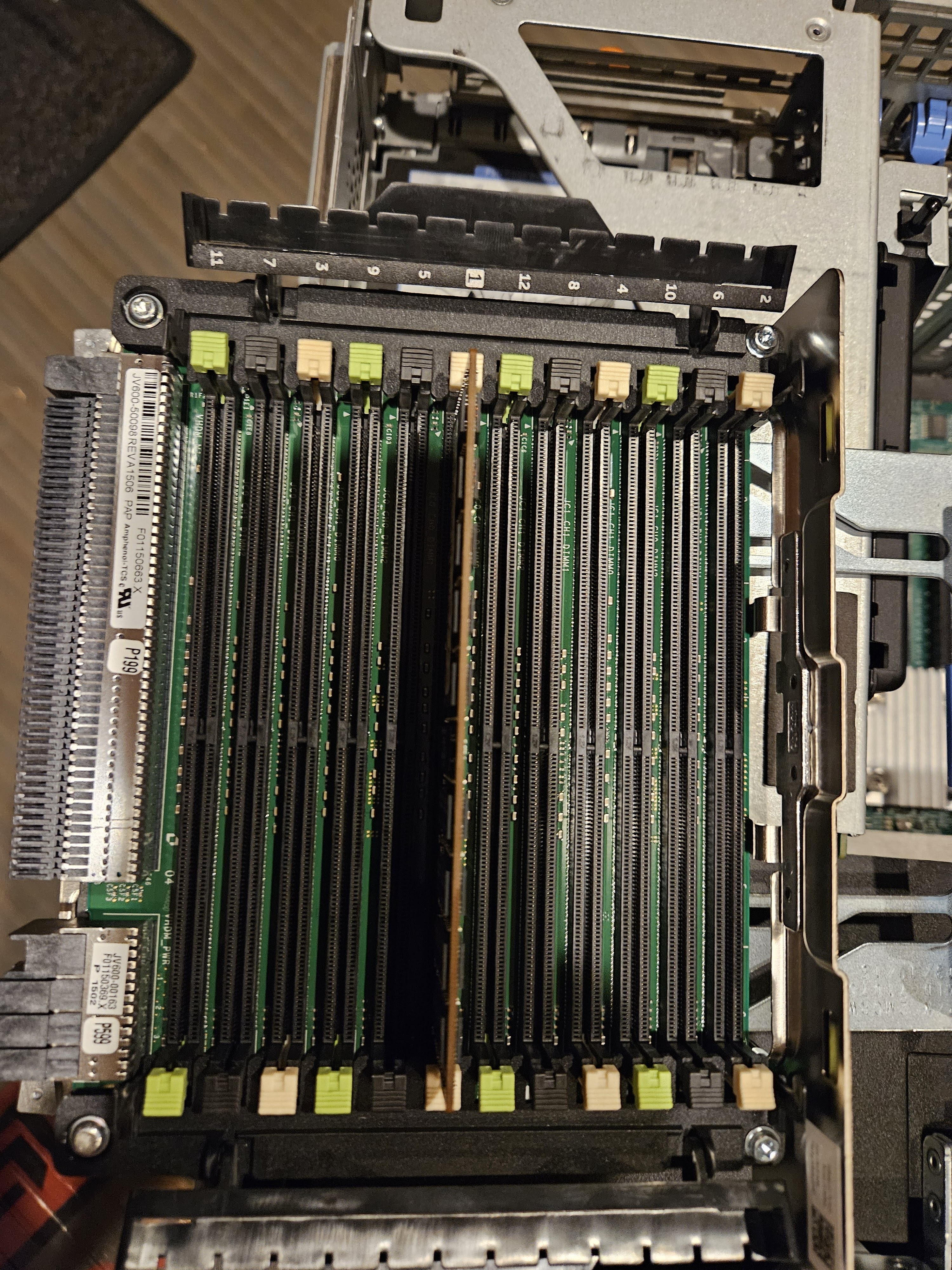
In this case the case study is a Dell PowerEdge r930, with a $20 dual M.2 card from Amazon.


Note on depending on the card slot six might not be usable as the card hits the screw for the heat sink.

The setting change...also even though this machine has something like 10 PCIe slots only six of the have the setting.


Dell r720xd and VMware ESXi 8.0

 -Even though the server or the CPU's are not on the HCL (Hardware Certified List), it does work.  Even with a Xeon E-2600 v0 CPU (with the CPU bypass setting).  The Perc H710 mini mono RAID card is recognized.  The onboard NICs are recognized.  

-Mellanox ConnectX-3 40Mbps ethernet network cards are no longer supported

-There are three different versions of Perc H710; the firmware and drivers are all the same.  The third revision is actually PCIe Gen 3, however by default it is set to Gen2 mode.  The change is easily done in the RAID card settings.  Thanks to the Art of Server for pointing that out.

-The XD model has twelve 3.5" hard drive bays.  In order to make that work there is no real-estate for an optical drive or the LCD screen normally seen on PowerEdge Servers.  There is an optional "flex-bay" kit which adds two 2.5" bays at the rear of the machine.  Interestingly when one adds the flex-bay, it disables the two onboard SATA connectors, even though the drives in the flex-bay are operated by the HBA/RAID controller.  This cost me an hour of my life looking into this!


HP Proliant DL80 Gen. 9

 Hewlett Packard Proliant DL80 Generation 9 is an entry level server with many corners cut to make the price cheaper than the normal enterprise hardware.

Here are a few notes:

-only one Power Supply

-no dedicated ILO port

-eight memory slots, and only four can be used in single CPU configuration

-the base model has no riser cards, and can only use three PCIe cards with a single CPU installed and five with two CPU's.  

-there is three? options for adding a riser card(s).  One of which is a GPU kit, which includes another fan

-converting to dual CPU's will need at least two more fans, three to make it "redundant".  it will operate without have the extra fans but it will complain about it at post and run the existing fans at full speed.

-the built in RAID controller is a B140i.  It has two SFF-8087 ("mini-sas") connections and two normal SATA connectors.  All of those connectors are controlled by the RAID card.  IE if one plugs a single drive into the normal SATA port one needs to go through the HP Storage Administrator and make a RAID0 in order to use it.  It only does SATA, SAS is NOT supported.  RAID5 is supported!  System RAM will be used for cache.  Interestingly Windows will see the virtual volume as intended, however my Linux utility, Parted-Magic, as well as the VMware installer, sees all of the drives individually.  The card can have it's personality switched to be a standard SATA controller.

-The standard backplane is four port, despite there being 8 drive bays. One can just add a 2nd four port backplane, the physical retention is there as is a second special power lead.   There also appears to be a single 8-bay option.   The standard backplane also claims to be not hot-swappable, I am not sure if that is because of the B140ii controller or the back plane.  Speaking of drive bays, the 3.5" bays do not have any LED indicators.  The backplane is connected to the system board via a SFF-8087 connector (at the motherboard end) to a four port SATA break out cable to the four ports of the backplane.  

I ordered a HP 790487-001, which is said to work for the DL60, DL80, and DL120.  This four port SAS/SATA backplane differs in that it has a SFF-8087 connector and little "fingers" to operate the LEDs for the drive sled.  

-VMware ESXi v7 does see the storage and the network cards.  However where as Windows does recognize RAID logical volumes, ESXi does not.   In this case a four drive RAID5 was setup, and VMware only sees four individual drives.  


Original backplane on the left, upgraded one on the right

Notice the "fingers" to operate the drive sled LED's

Both backplanes installed, note the SFF-8087 isn't installed yet.


Windows 10 Activation & Licensing (late 2023)

Ever since 2015 Microsoft has allowed computer users to "upgrade" to Windows 10 using the license key from Windows 7 and Windows 8.  This allowed many older computer that came from manufacture with Windows 7 to have a new lease on life by legally using a newer operating system.  During the late fall of 2023 Microsoft has closed this loop hole.  

Today if one takes a Windows 7 computer and installs Windows 10, it will not activate.  Even if one types the license key, it will not activate.  So where does that leave those of us with older machines hanging around?  Well...

YOU CAN CONTINUE TO USE A COMPUTER WITH AN UNACTIVATE COPY OF WINDOWS 10!

The computer will continue operate just fine, it will not one day stop working because of the activation status. 

There is some caveats though.  Here is a list of them:

-"Activate Windows" watermark shows up on the bottom right corner of the screen, and will be visible no mater what, even if one is watching a video, playing a game, or writing a novel.  

-premium features are locked out

-optional updates are not available, but critical updates are

-desktop personalization is restricted: wall paper, taskbar settings, lock screen, themes

https://royalcdkeys.com/blogs/news/unactivated-windows-10-what-are-the-disadvantages

https://www.pcworld.com/article/2104344/its-official-upgrades-using-windows-7-and-8-keys-are-dead.html

https://softwarekeep.com/blog/what-happens-if-you-don-t-activate-windows-10


Dell PowerEdge r930 hardware guide

 ***Work in Progress, will continue to update until the project is finished****

Dell PowerEdge r930 is a 4U, four CPU system.  This is some notes from working on them.  Finding information on them was sparse, so hopefully someone else can benefit from my research.  The biggest help was this source: from Dell.  This link as well, also the factory manual.


When using four CPU's the minimum RAM configuration is eight memory modules.  One stick of RAM in the #1 back of each of the eight memory riser cards.


It doesn't matter so much what hard drive controller is used, but it MUST bee in the very first slot.  Remove the I/O shield put it into slot one and use the lever to secure it down.   In this case it is a single Perch 730H.


To pull out the fan tray, just remove the outer four fans, then use the release to free up the handle.  In order to work on the CPU's or the back plane, all memory risers must be removed, the four fans, and the fan tray.

The network card is the same "form factor" as found on other r630/730's..it has the proprietary connection.  There is a special riser card that takes the special NIC and converts it to PCIe.  That card also has a special slot for one to install the SD memory card modules.


This is the network riser card without the NIC daughter board

ONE HBA/RAID card in a 24 drive system: the SAS cables from port A go to port A on the SAS Expander, as is the same for port B.  The top SAS port from the backplane goes into the furthest port on the SAS Expander.  The bottom SAS port on the backplane goes to the closest port on the SAS Expander.  Use the wrong cables or in the wrong spot, the system will complain.

The two back-plane cables are special (p/n: 085WG0 and 09HT8M) are special, even though they have an industry standard SAS connection, they are actually proprietary. Normal SAS cables will plug in, but not work. The cable from the SAS controller to the SAS expander is p/n: 0KN3YV.


These machines come standard with the ability to run four hard drives.  They can be converted to run twenty four.  It is a PITA, but very doable.  The first one I did took a few hours, the 2nd was a breeze.

Parts needed:

-backplane

-SAS expander

-backplane SAS cables

-SAS cables from HBA/RAID to SAS expander

-front bezel 


MORE "FUN"!!!!

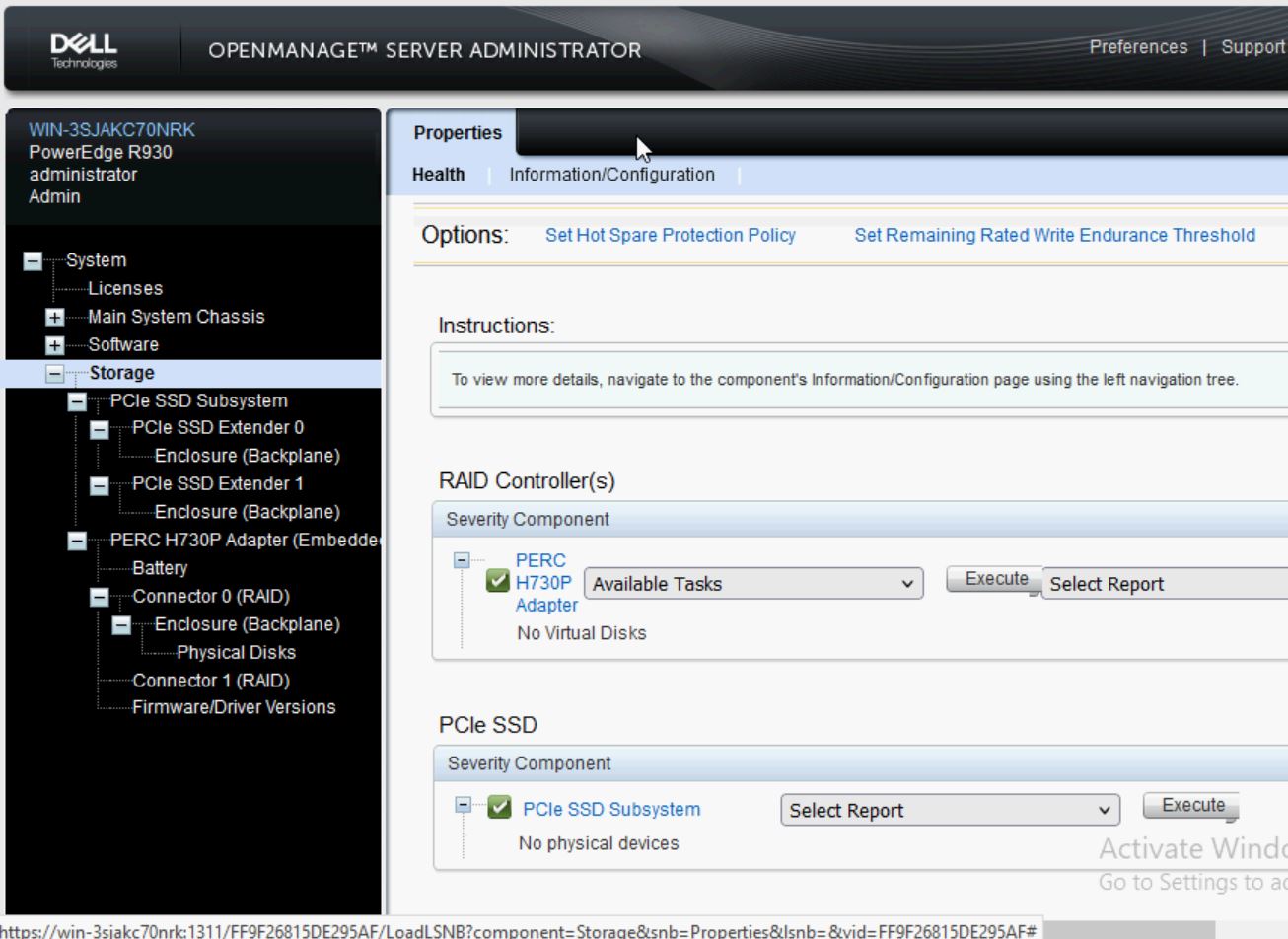
The generation 13 PowerEdges can run U.2 NVMe drives!  The backplane is different, the cabling is different, a special controller card is needed.

The backplane backplane is very similar to the normal SAS/SATA 24 bay backplane, which the obvious physical difference being the addition of eight extra SAS-style connectors.   One can use the machine with the special PCIe cards run eight NVMe drives and sixteen SAS/SATA drives.  One can use the NVMe/SAS backplane and not use the special PCIe cards and cables, however every time the machine powers on, there is an error at post, that one must hit F1 to continue.

The cabling of the NVMe capable backplane with two PCIe controller cards.

The cabling of the normal SAS/SATA 24bay backplane.

Picture of the NVMe capable backplane with the extra connections circled in red.


Normal SAS/SATA 24 bay backplane, notice there is only two SAS-style connectors


In iDRAC the machine recognizes the NVMe backplane, even though there is no PCIe controller cards installed. 

The error message during post, that is shown every time, that requires one to press F1 each time.

The NVMe setup also reserves eight of the drive bays for NVMe only, SAS/SATA drives will not work in those designated bays.


Here is what it looks like both NVMe cards and the cabling.  It is very tight to run all the cables.
The NVMe cables are special; besides being molded to "fit" into the r930 chassis, something about them is different.  The system will not allow one to use generic SAS cables nor get them out of order.  The part number for the r930 cables are as follows:
cn-09k88-48570-42h-007m (dp/n: 09rk88) and cn-066fk9-48570-42j-004n  (dp/n: 066fk9)


Quantum Lattus Part 2

 The Lattus has two 1gbps network cards, which is all fine, but even with mechanical disks it doesn't take too many of mechanical drives to saturate a 1gb NIC.  So I attempted to add a 10gb NIC.  

Turns out that the S30/40/50 using the the SuperMicro system board, the placement of the PCIe slots does allow for a standard height low profile card; in either direction, going the left side of the board (away from the CPU) there isn't enough room in height.  Nor going to the right as the card hits the CPU heatsink.

The S10/S20 does work either direction.  If going away from the CPU one must remove the 2.5" drive bay.  I didn't feel comfortable having the circuitry of the 10gb NIC basically touching the system board so I choose to run the NIC towards the CPU.  Doing so meant I had to remove the PCI-e SATA card.  Meaning I could only drive six hard drives, or five data, and one OS drive if running something like TrueNAS.  I found a 6gbps 2-port SATA card that is super small that fit in the other side; which brought my drive controller up to 8 drives.


Also I found these SuperMicro 10gb NICs that are based on the Intel x520 chip; they are physically smaller in nearly every dimension than the OEM Intel.


Quantum Lattus

 I don't know much about the product, it was designed to be a "cheap and deep", massively scale out storage system.   The nodes are "dumb" and controlled an automatically deployed by PXE boot a master node.   Western Digital did much of the early R&D, that intellectual property was sold to Quantum.  This particular line has reached it's End Of Life.

These servers hold 12 SATA 2.5" drives in a 1U extra deep case 33~34" long.  

The Lattus S10 & S20's have an Asus CMB-a9sc2 motherboard, it has a dedicated IMPI port, dual 1gb NICs plus a dedicated IMPI.  8gb DDR3 ECC RAM.  Six onboard SATA ports, a PCI eight port SATA card. It also has a 2.5" hard drive tray.  Intel Xeon E3-1220L v2 CPU at 2.3ghz (2 core, 4 threads, 17 watts).

Motherboard datasheet

The Lattus S30, S40, & S50's have an SuperMicro x10SL7 motherboard, it has a dedicated IMPI port dual 1gb NICs.  It has eight onboard SAS/SATA ports.  Intel Xeon E3-1230L v3 CPU at 1.8ghz (4 core, 8 threads 25w).  

 The BIOS password is "Adm1n", the IMPI credentials are ADMIN/ADMIN

S10/S20 

S10/S20 rear

S10/S20 with the SATA controller card removed.

S30/S40/S50


One of the S40's running TrueNAS